PHP CAPTCHA & Bot Protection
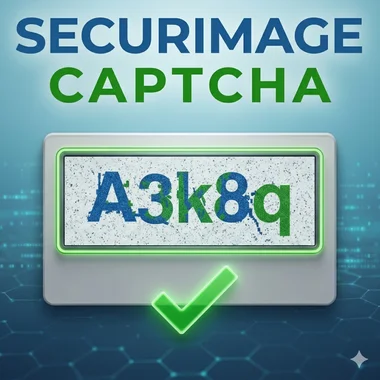
What is Securimage?
Securimage is a self-hosted PHP CAPTCHA library that generates distorted images to block spam bots. Released in 2008, PHP developers picked it up for its simplicity and zero dependencies.
Securimage is a legacy project. It still works for existing installations, but new projects should use a modern alternative. Image CAPTCHAs are easy for modern bots to solve, hurt accessibility, and kill form completion rates. See our full comparison of PHP CAPTCHA alternatives for current recommendations.
What to Use Instead
CAPTCHA has moved on since 2008. Today's best options are invisible to users and harder for bots to beat:
CAPTCHA Alternatives
Full comparison of every major option in 2026 — Turnstile, hCaptcha, reCAPTCHA, honeypots and more.
hCaptcha Review
PHP integration, pricing tiers, GDPR stance, and an honest verdict on whether it beats reCAPTCHA.
Cloudflare Turnstile Review
Free, invisible, 1M requests/month. How it works in PHP and where it falls short.
reCAPTCHA Pricing Breakdown
Free tier cut from 1M to 10K in April 2026. What it costs now and what to switch to.
Comparisons
reCAPTCHA vs hCaptcha
Privacy, performance and pricing compared. Which is right for your site?
reCAPTCHA v2 vs v3
Score-based vs challenge-based. When to use each and how to migrate.
Turnstile vs reCAPTCHA
Cloudflare's free invisible CAPTCHA vs Google's market leader.
hCaptcha vs Turnstile
Two privacy-first reCAPTCHA alternatives. Side-by-side on pricing, PHP integration, and accuracy.
PHP Security Guides
PHP Form Spam Protection
Multiple layers: CAPTCHA, honeypot, rate limiting, and validation — with working PHP code.
PHP Form Validation
Server-side validation patterns with security built in. Filter, sanitize, and reject bad input.
CSRF Protection in PHP
Token-based CSRF defence. How to implement it correctly in PHP forms.
No-CAPTCHA Spam Protection
Protect PHP forms without any CAPTCHA using honeypot fields and time-based checks.
Securimage Documentation
Still running Securimage? Here's what you need:
- Self-hosted — no external API calls or third-party data collection
- Requires PHP with the GD extension
- Customisable image size, character set, fonts, and distortion level
- Audible CAPTCHA for screen readers
- WordPress plugin available (Securimage-WP)
- GPL-licensed — source on GitHub